Skip to content

Time tracking

Timesheets that fill themselves in

People start the timer on a task. Hours land on the right project and add up into timesheets you can review, without anyone filling in a spreadsheet.

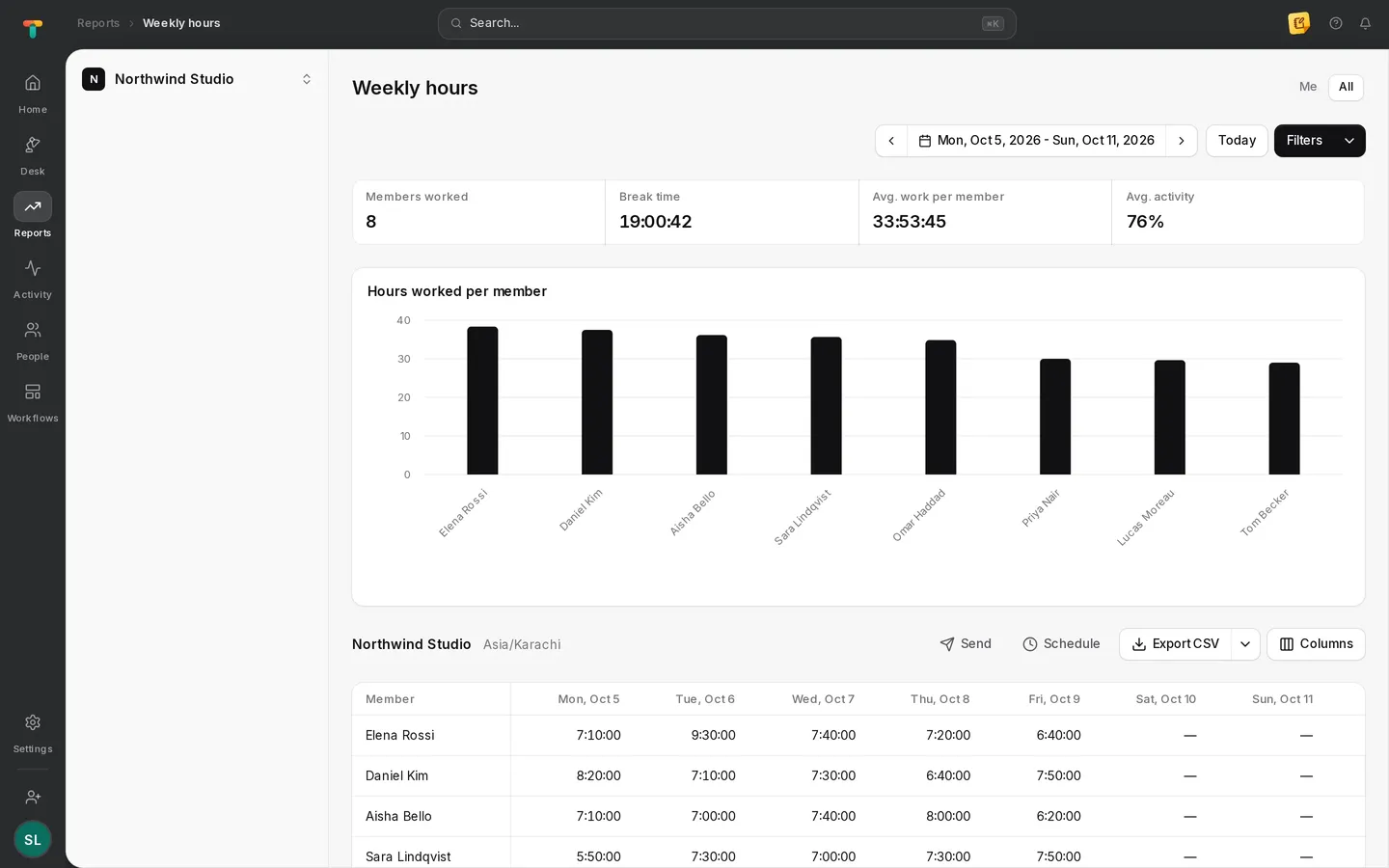
Tascimo weekly hours report for the whole team

Timesheets

The week, already written down

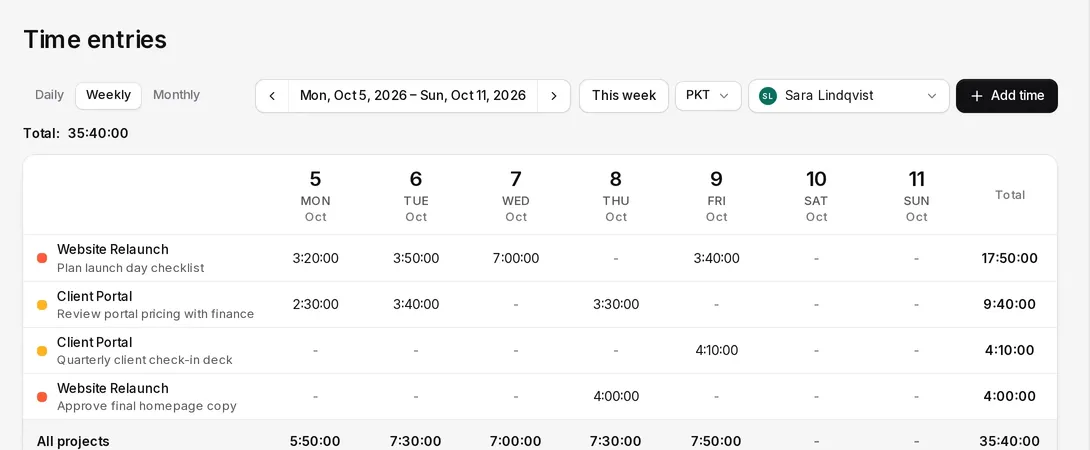
Daily, weekly and monthly views show each person’s hours by project and task, with totals per day and for the period.

  • Daily, weekly and monthly views
  • Totals per project, task and day
  • A time zone picker on every timesheet
Weekly timesheet in Tascimo listing hours per project and task for each day

On every task

Time that belongs to the work

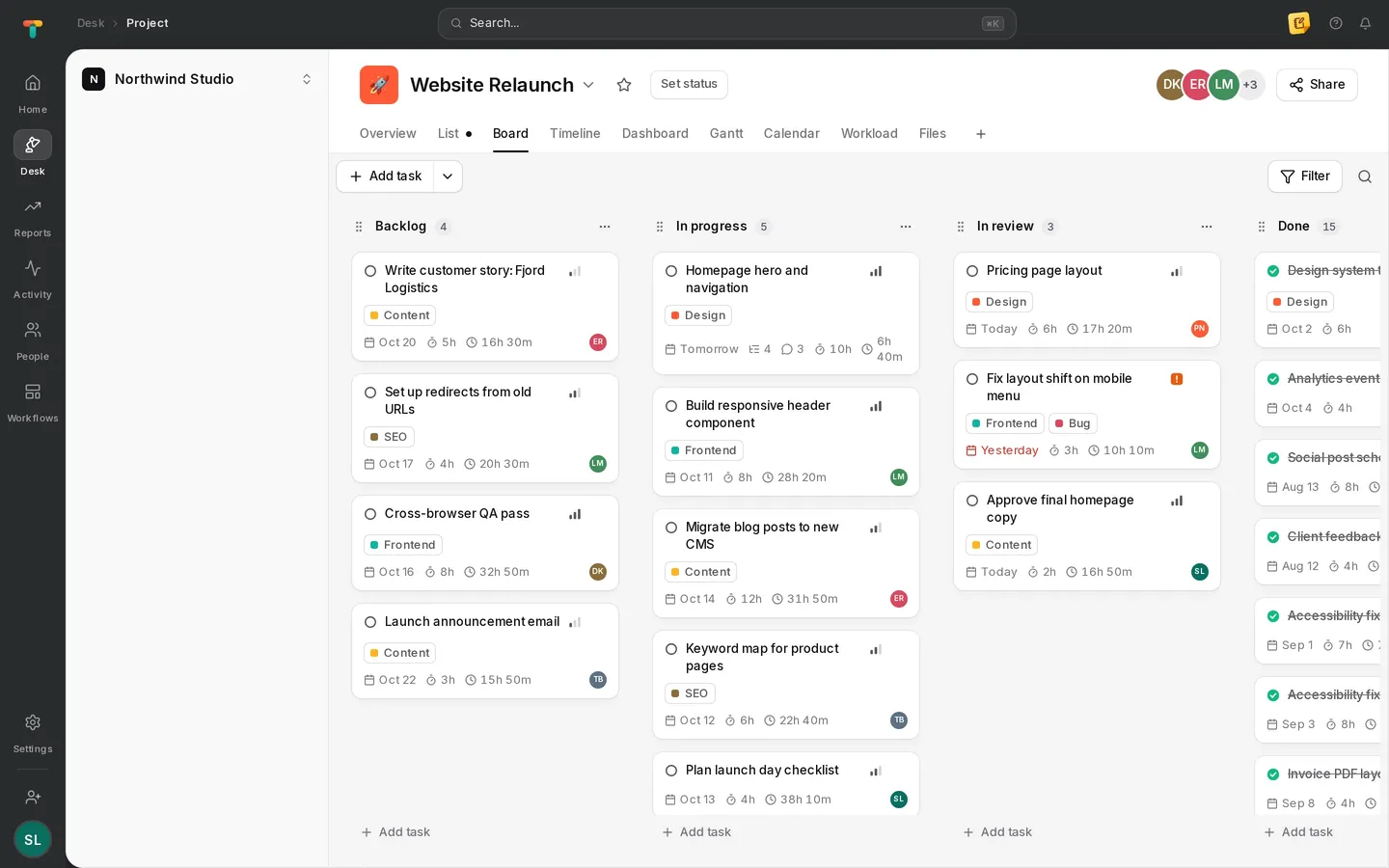
Tracked time is recorded against a task, so the task panel and the board show how long the work really took next to its estimate.

  • Start the timer on a task in the desktop app
  • Manual entries for time away from the computer
  • Estimates side by side with tracked time
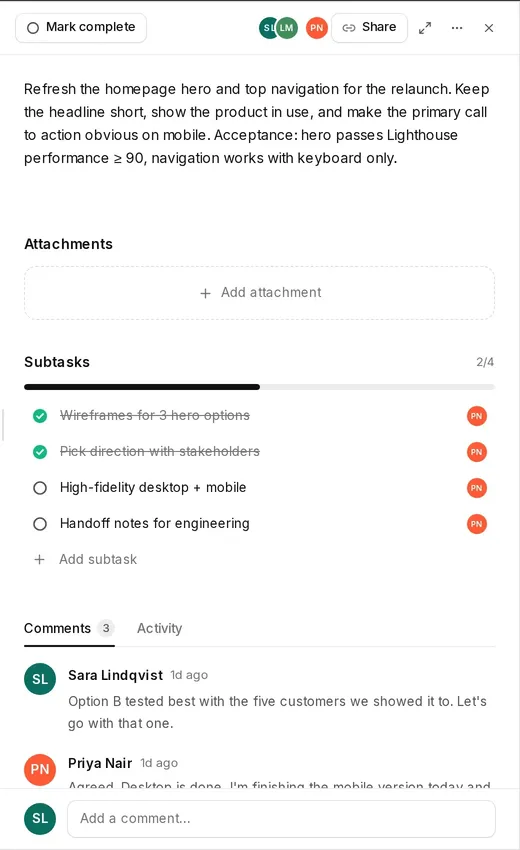
Tascimo task panel with description, subtasks and a comment thread

Time off

Requests and approvals next to the timesheet.

Calendar view

A person’s tracked time laid out on a calendar.

Idle detection

Admins set how long without input counts as idle.

Works offline

The desktop app keeps tracking and syncs later.

Straight answers

Can people add time they forgot to track?

Yes. Manual time entries can be added with a project and a reason, and they show alongside tracked time in the timesheet.

Does time tracking need the desktop app?

Automatic tracking runs in the desktop app for Windows, macOS and Linux. Manual entries, timesheets and reports work in the browser.

What happens without an internet connection?

The desktop app keeps tracking and stores the time on the computer, then syncs it to your workspace when the connection returns.

More in Tascimo

Give your team one place for work and time

Create a workspace in a couple of minutes, or book a demo and we will set Tascimo up with you.