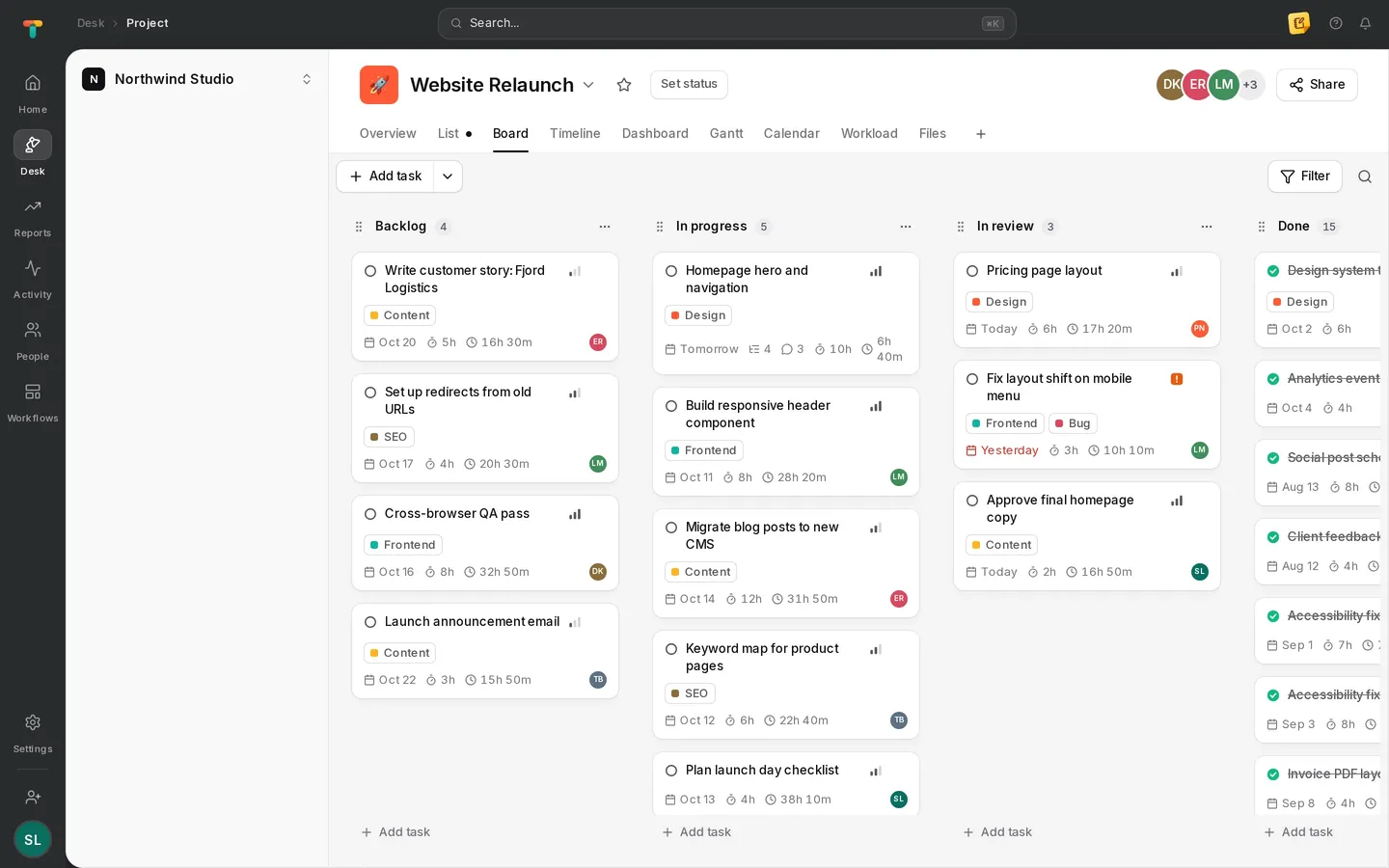
Weekly hours
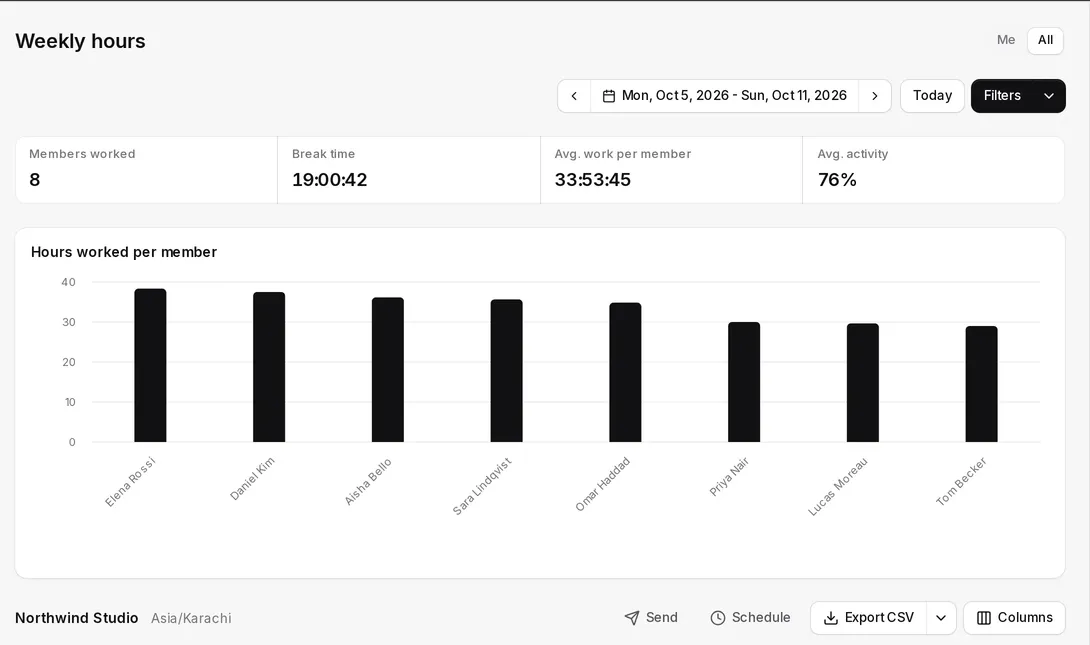
The whole team’s week at a glance
Hours per person or per project for any week, with break time and average activity, ready to export.
- By member or by project
- Break time and average activity
- CSV export
Reports
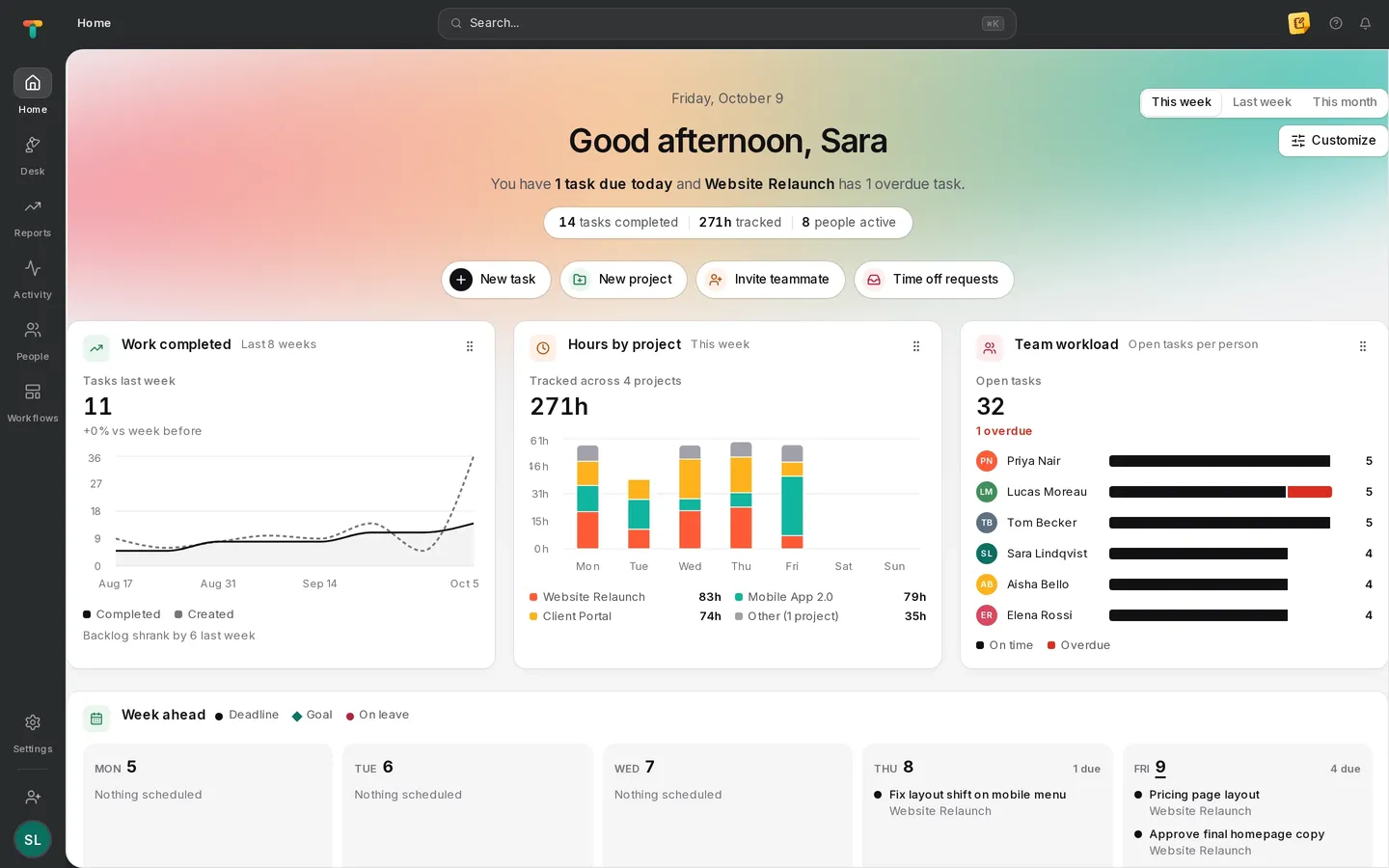
Because the time is tracked against the work, reports answer the questions managers actually ask: who worked on what, for how long, and where estimates went wrong.
Weekly hours
Hours per person or per project for any week, with break time and average activity, ready to export.
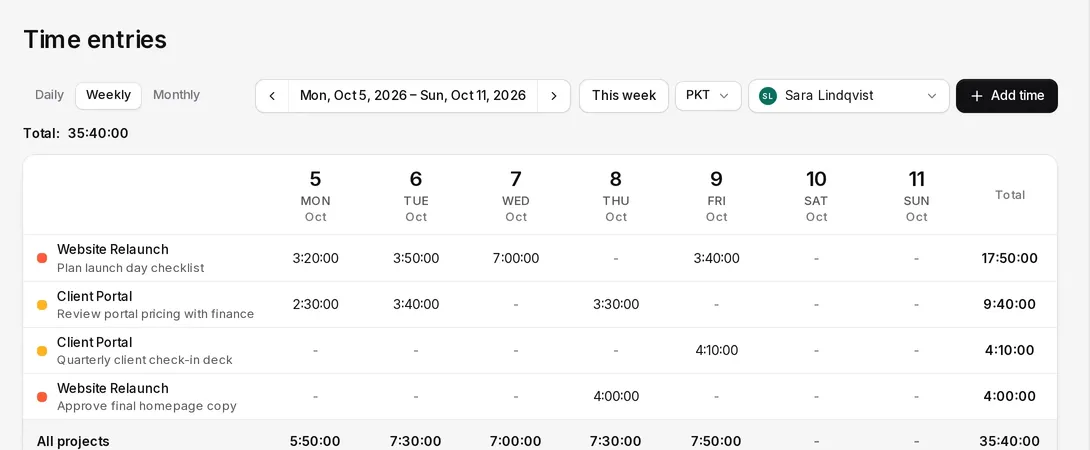
Timesheets
Open any person’s timesheet to see which projects and tasks the hours went to, day by day.
Insights
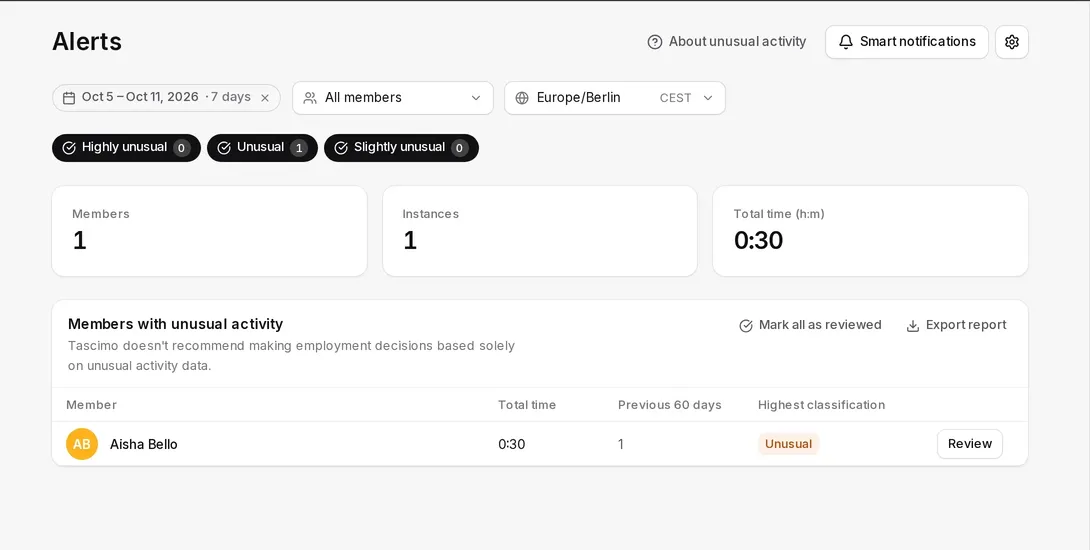
See tasks that ran over their estimate and activity that looks unusual, so you can step in before a deadline or a person is at risk.
Scheduled reports
PDF reports delivered to your inbox on a schedule.
Dashboards
Project dashboards and a customisable home page.
Time zones
Pick the time zone each report is shown in.
API access
Pull the data into your own tools with API keys.
Yes. Scheduled reports are delivered by email as PDF, so managers get the numbers without opening the app.
Weekly hours and other tables export as CSV, and the Tascimo API gives programmatic access with API keys.
Roles decide it. Admins and managers can switch between their own time and the whole team; employees see only their own.
More in Tascimo
Create a workspace in a couple of minutes, or book a demo and we will set Tascimo up with you.