Skip to content

Projects and tasks

Project management with the time already in it

Plan the work in the view that suits each person, and see the hours tracked against every task without opening another tool.

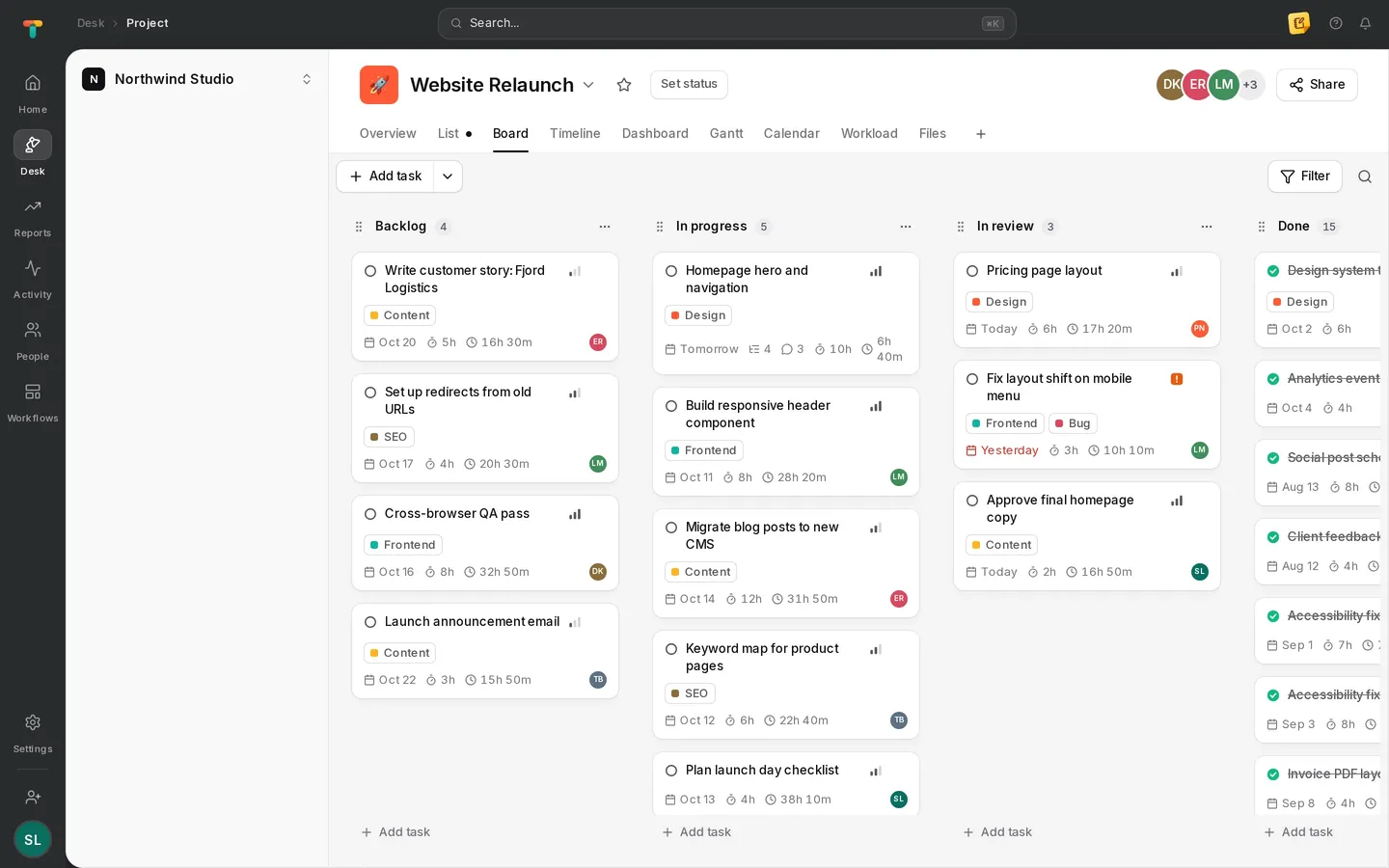
Tascimo board view with Backlog, In progress, In review and Done columns

Views

Every view on the same work

List, board, timeline, Gantt, calendar and workload all show the same tasks. Change something in one view and it is changed everywhere.

  • Sections per project and shared status templates
  • Filter, sort and group by any field
  • A personal My tasks list across all projects
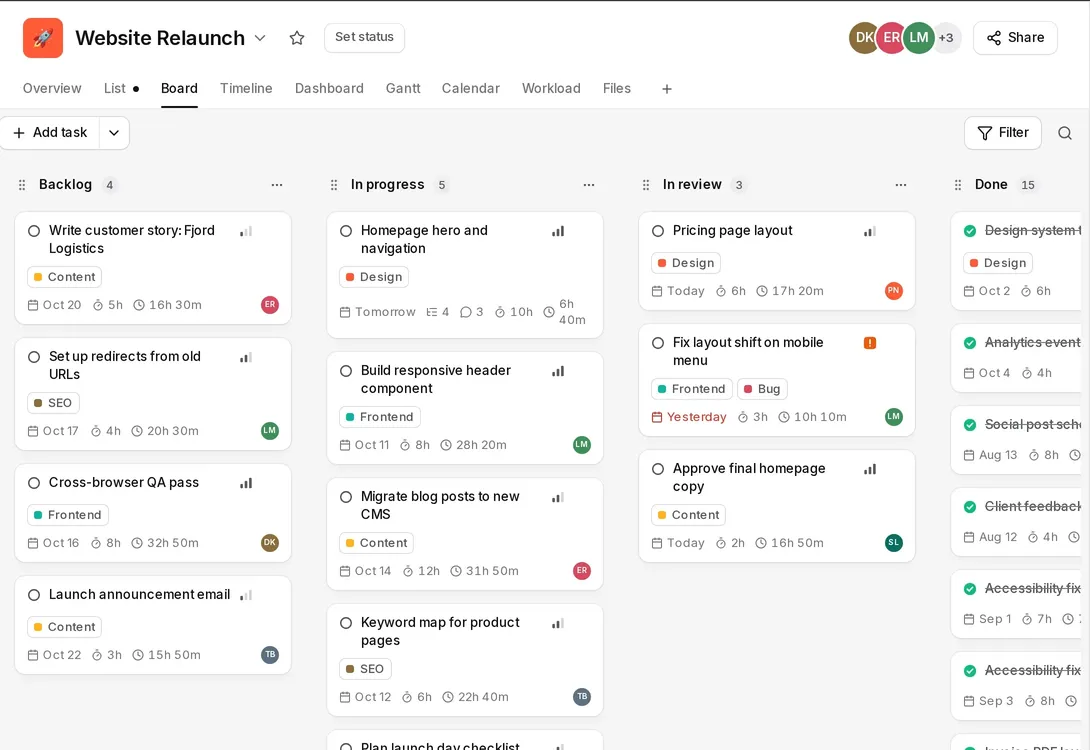
Board columns in Tascimo with tags, due dates, estimates and tracked time on each card

Tasks

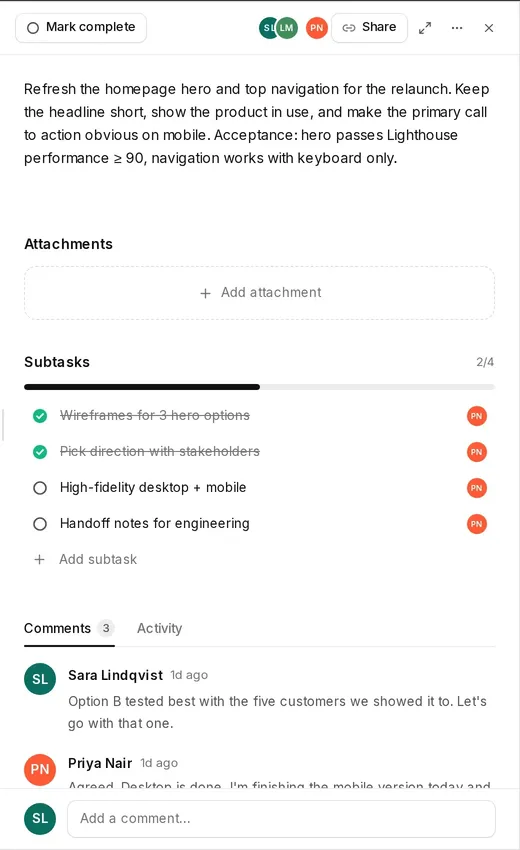
Everything about a task in one panel

Assignee, dates, estimate, tags, subtasks, attachments and the conversation stay together, next to the time already tracked.

  • Subtasks and dependencies
  • Comments with mentions
  • Recurring tasks for repeat work
Tascimo task panel with description, subtasks and a comment thread

Planning

See the schedule before it slips

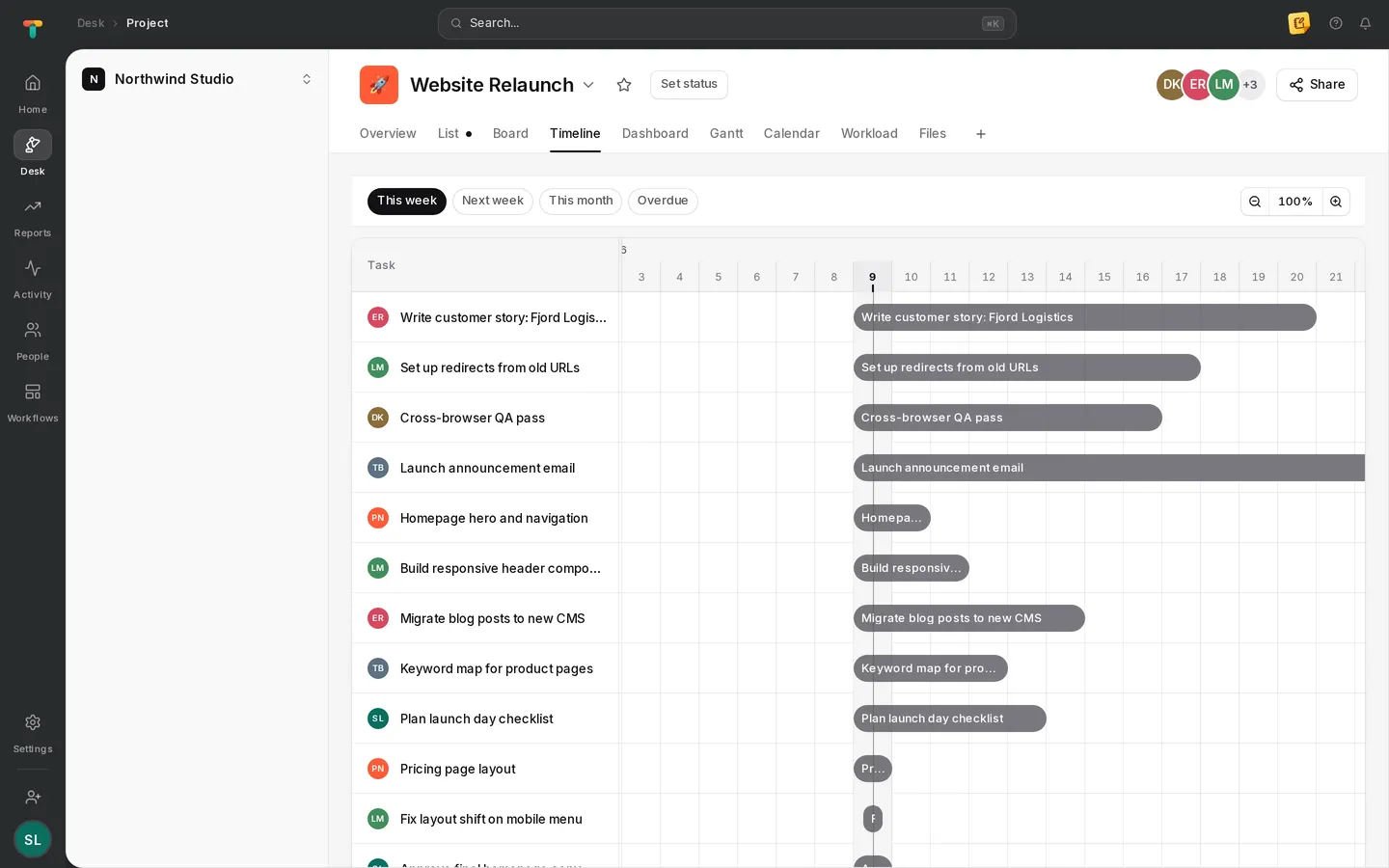
The timeline lays tasks out across the weeks, so overlaps and gaps are easy to spot. Estimates sit beside tracked time on every card.

  • Start and due dates on a timeline
  • Estimates compared with tracked time
  • Milestones and project goals
Tascimo timeline view showing each task as a bar across the week

Custom fields

Add the fields your team needs and choose which show in each project.

Project templates

Start new projects from a template instead of from scratch.

Project messages

Updates and discussion that belong to the project, not a task.

Trash and restore

Deleted projects and tasks can be restored for 30 days.

Straight answers

Which project views does Tascimo have?

List, board, timeline, Gantt, calendar and workload, plus a project overview and dashboard. You can choose which views each project shows.

Can a task belong to more than one project?

Yes. A task can be added to several projects and appears in each of them, with one set of comments and one tracked time.

Do I have to track time to use projects?

No. Projects and tasks work on their own in the browser. Time tracking and the desktop app are there when you want them.

More in Tascimo

Give your team one place for work and time

Create a workspace in a couple of minutes, or book a demo and we will set Tascimo up with you.