Skip to content
NewDesktop app for Windows, macOS and Linux

Run your team’s work and time from one place.

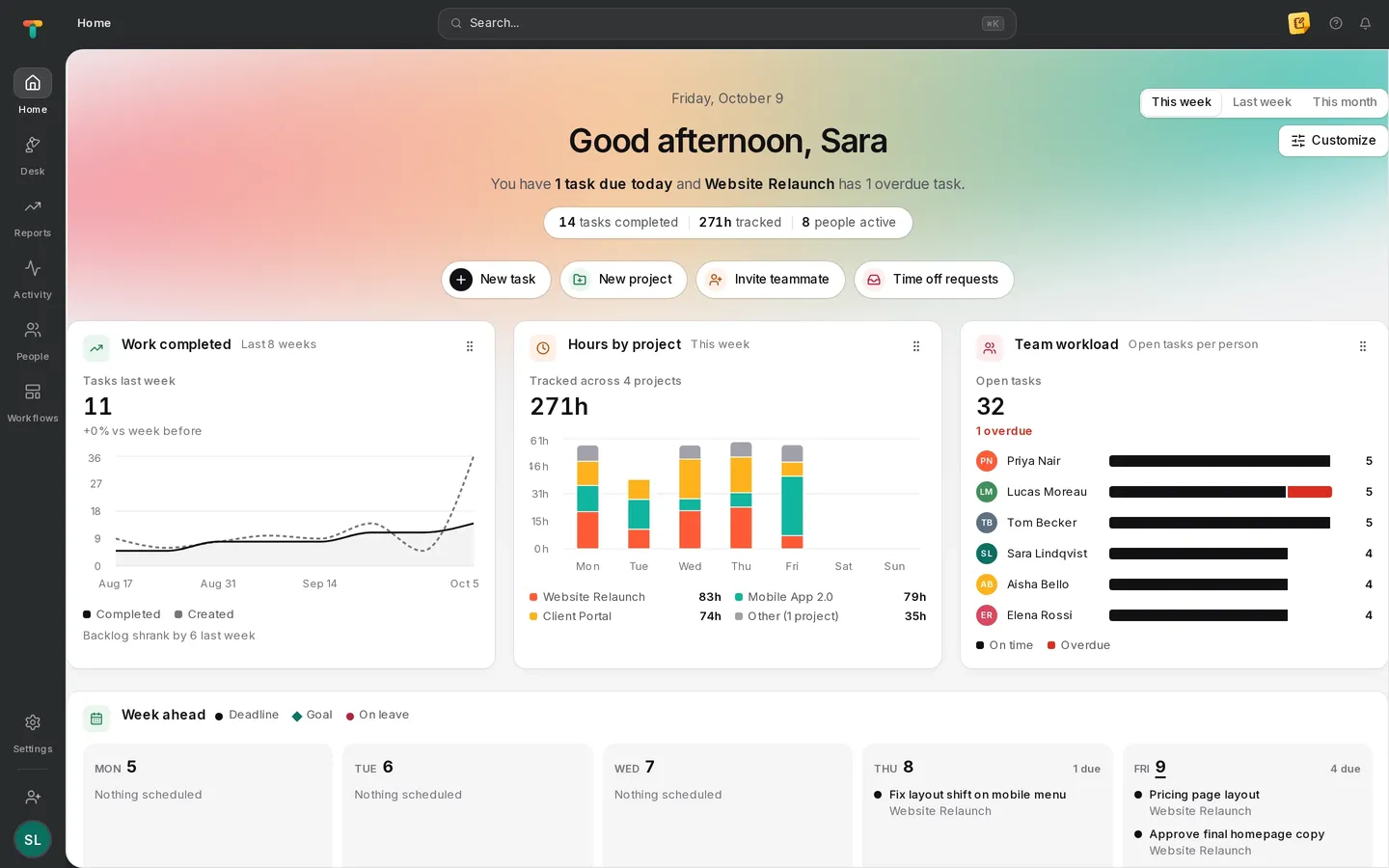
Projects, timesheets and desktop activity in a single workspace, so you always know what got done, who did it and how long it took.

Book a demo →

Set up in minutes. Your team can start tracking today.

Tascimo home dashboard with tasks completed, hours tracked by project, team workload and the week ahead

Plan

Every view your team needs, on the same work.

Sections, subtasks, dependencies and custom fields. Switch between list, board, timeline, Gantt, calendar and workload without copying anything.

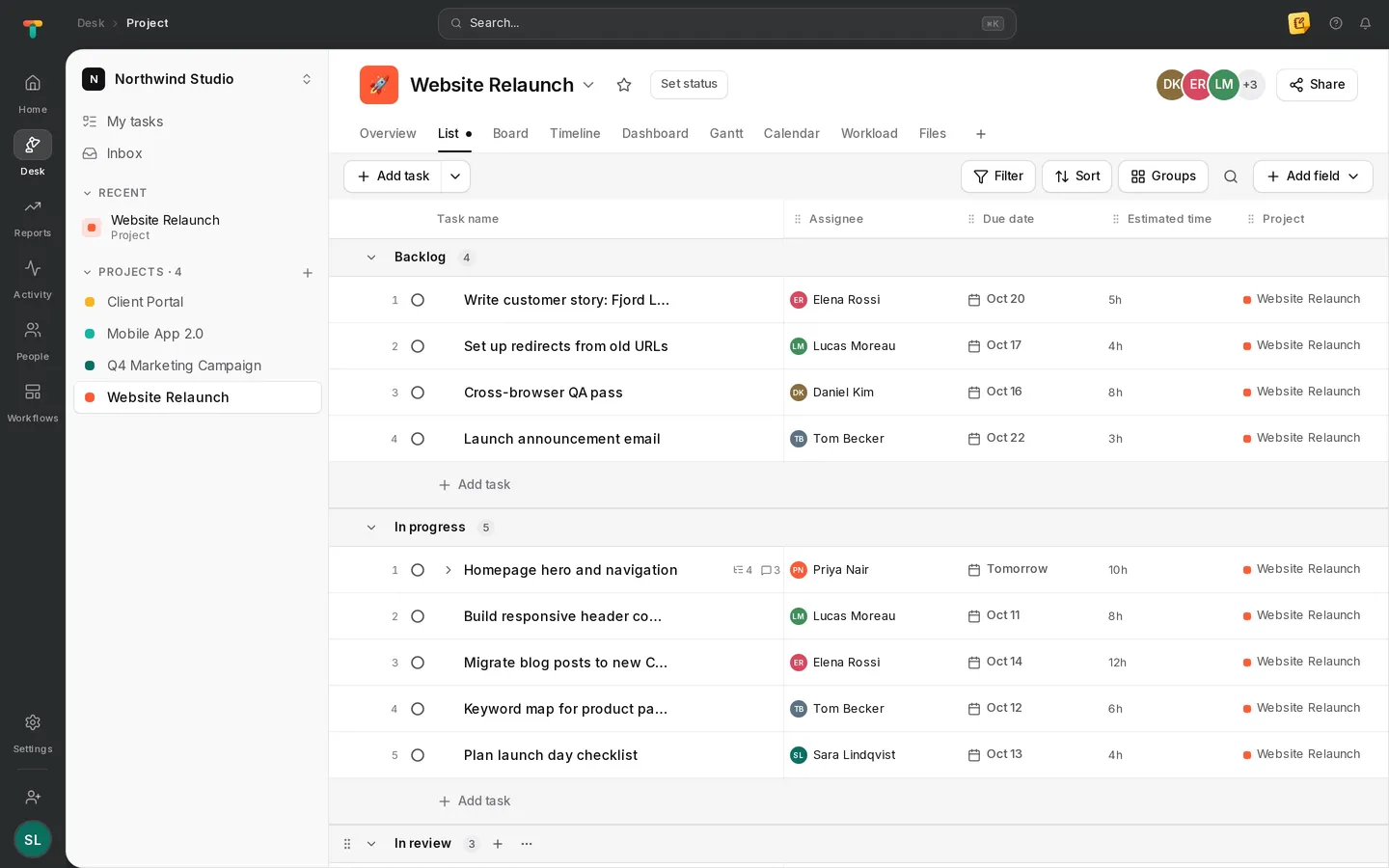
Tascimo list view of the Website Relaunch project, grouped by section with assignees, due dates and estimates
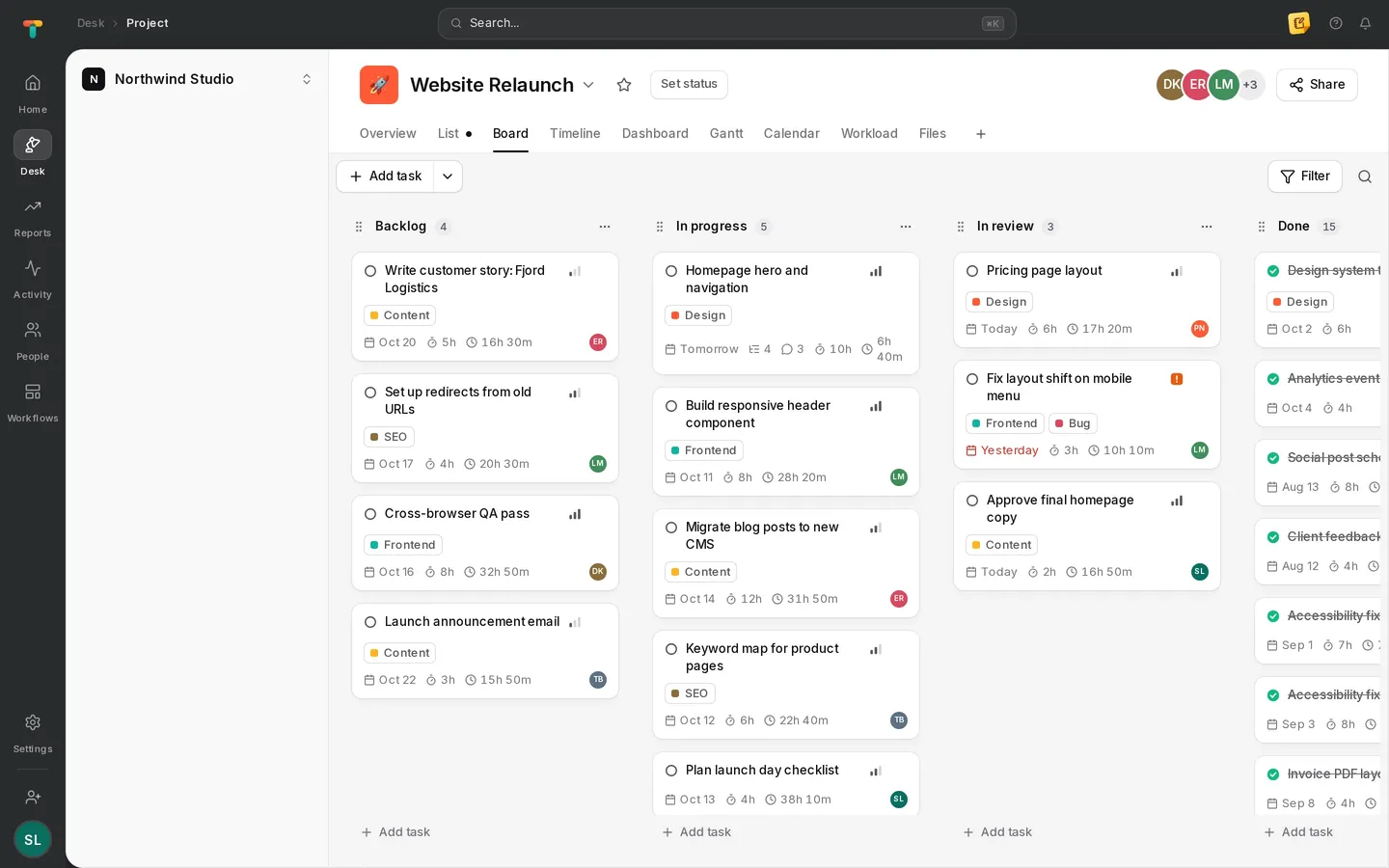
Tascimo board view with Backlog, In progress, In review and Done columns
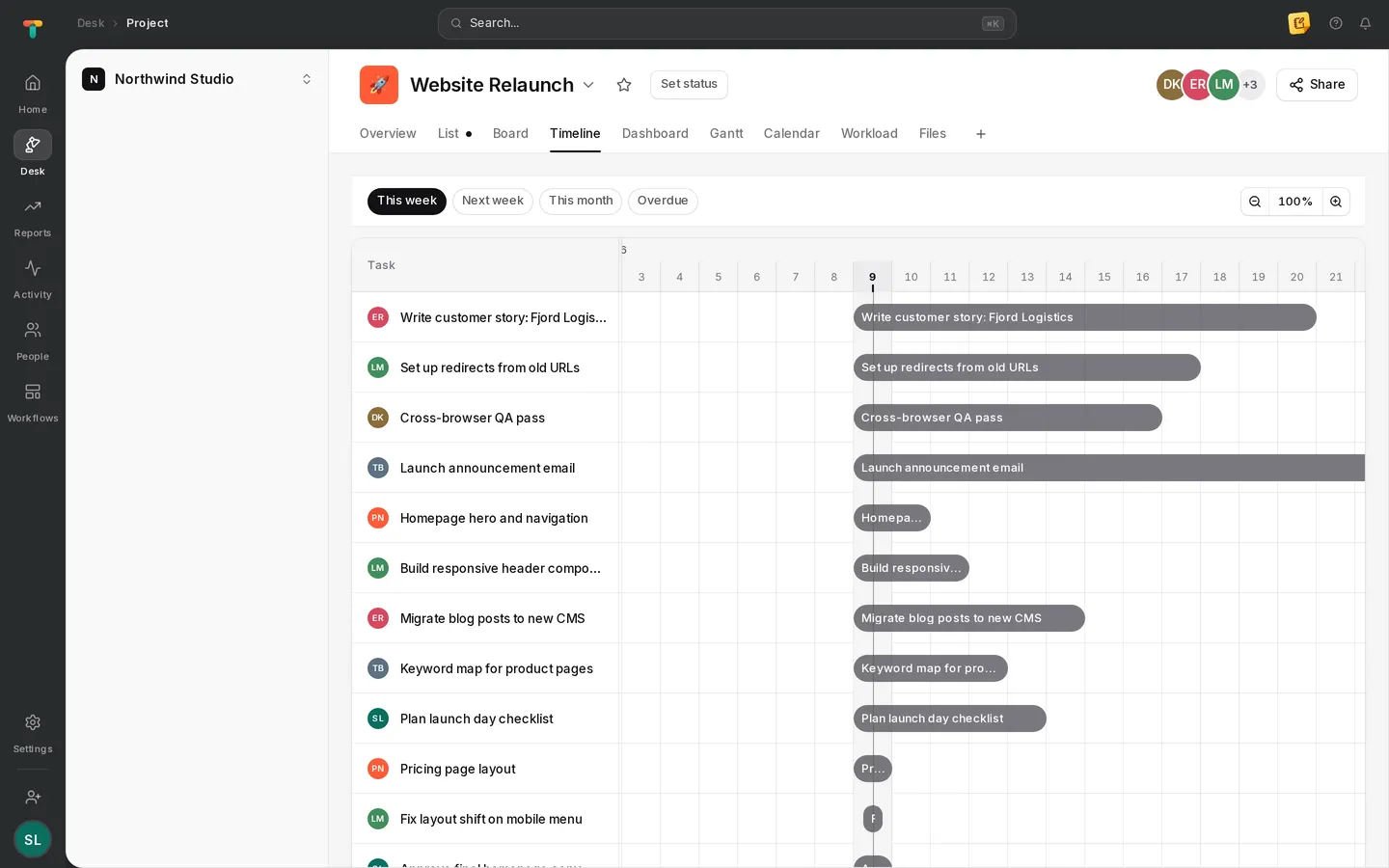
Tascimo timeline view showing each task as a bar across the week
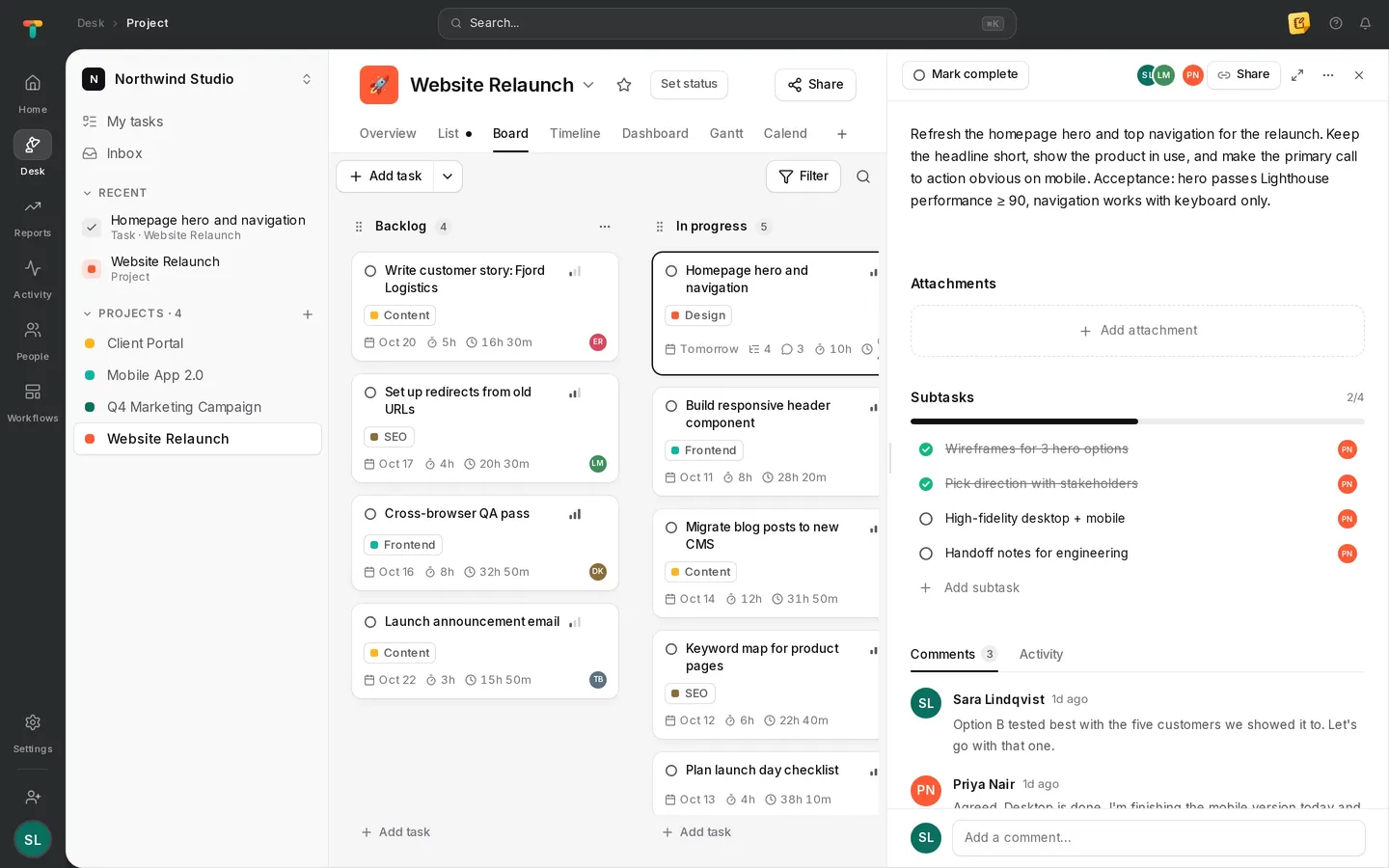
Tascimo task panel with subtasks, tracked time and a comment thread

Time tracking

Timesheets that fill themselves in

Start the timer on a task in the desktop app. Hours land on the right project and add up into a weekly timesheet, ready to review.

  • Manual entries for time away from the computer
  • Daily, weekly and monthly views per person
  • Time off requests next to the timesheet
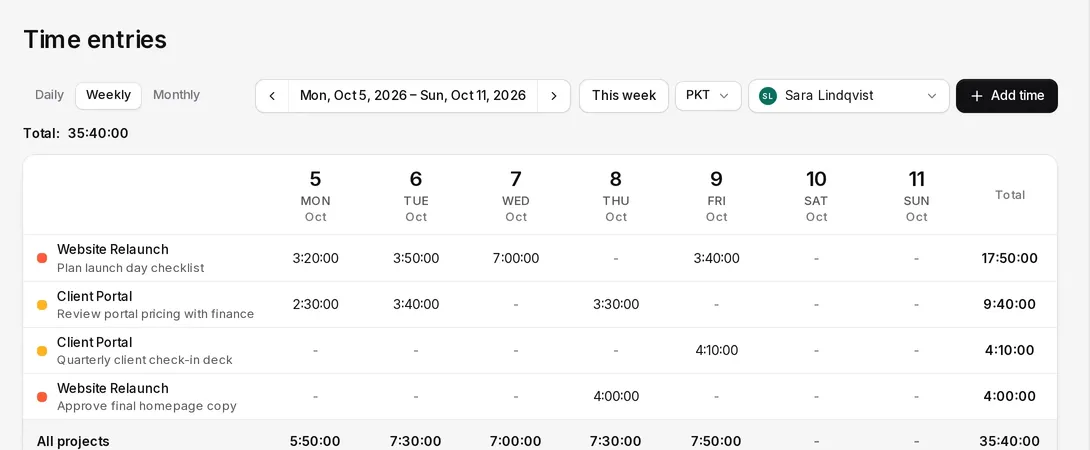
Weekly timesheet in Tascimo listing hours per project and task for each day of the week

Desktop activity

An honest picture of where the day went

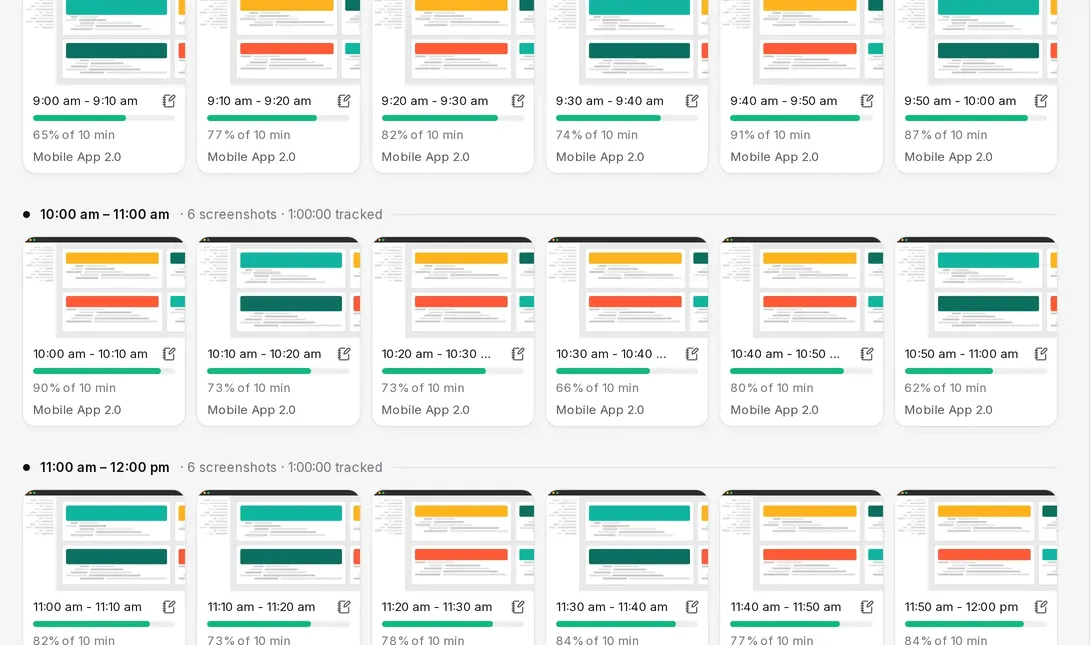
Active and idle time in ten-minute blocks, the apps and website domains in use, and screenshots as often as your admins decide.

  • Activity level for every ten minutes
  • App and URL activity alongside screenshots
  • Never the keys pressed or the text typed
Tascimo screenshots page with ten-minute blocks, activity percentages and the project being tracked

Reports

See the whole team’s week at a glance

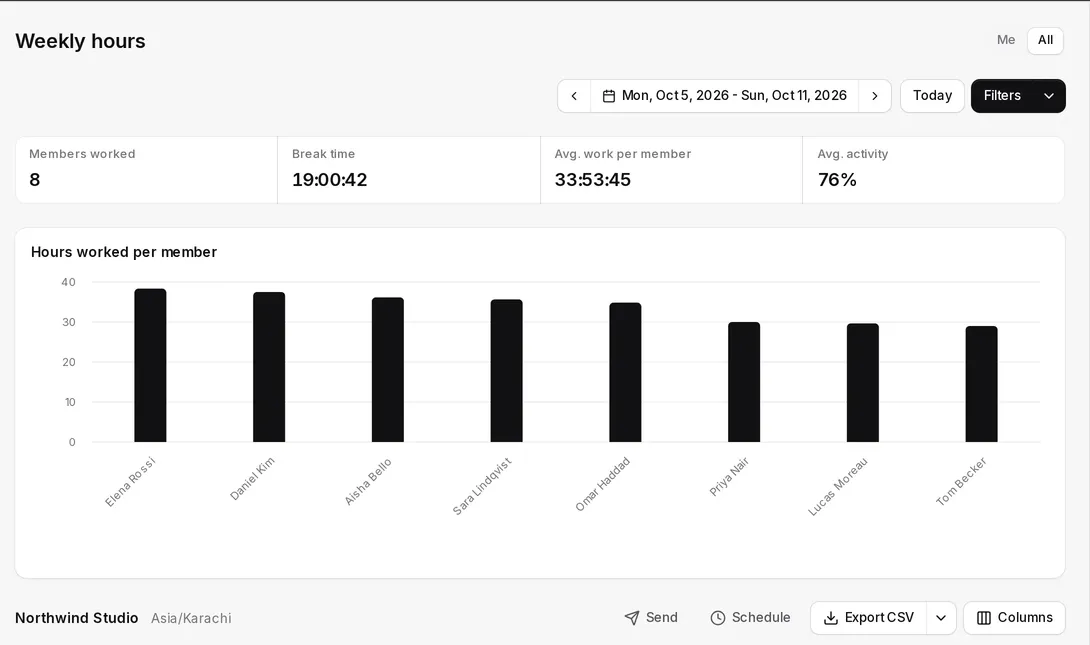
Hours per person and per project, break time and average activity, with CSV export and reports sent to your inbox on a schedule.

  • Weekly hours by member or by project
  • Tasks that ran over their estimate
  • Scheduled reports by email
Weekly hours report in Tascimo with a bar chart of hours worked per team member

Alerts

Spot unusual activity before it becomes a problem

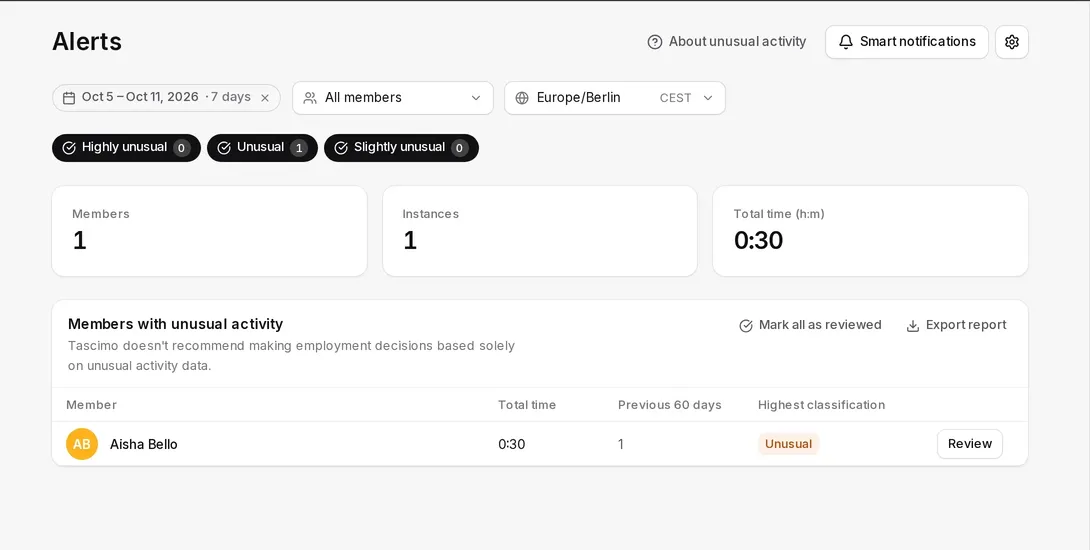
Tascimo flags patterns that look out of the ordinary, so a manager can take a look and mark them as reviewed.

  • Highly unusual, unusual and slightly unusual levels
  • Compared with each person’s previous 60 days
  • Reviewed items kept on record
Tascimo alerts page listing a team member with unusual activity and a Review button

How we think about tracking

Tracking your team can agree to

Tracking works when everyone knows the rules. Tascimo is built so the rules are clear before the timer ever starts.

Rules set up front

Admins decide what is tracked for each person, like the idle timeout and how often screenshots are taken, before anyone starts the timer.

Only what is needed

Tascimo notes whether the keyboard or mouse was used, never which keys were pressed or what was typed.

Changes are on record

When someone changes a tracking setting or a role, the audit log records who did it and when.

And the small things that make a day easier

Time off

Requests and approvals next to the timesheet.

Audit log

Sign-ins and important changes, recorded.

Works offline

The desktop app keeps tracking and syncs later.

Scheduled reports

PDF reports delivered to your inbox.

API access

Connect your own tools with API keys.

Light, Dim and Dark

Three themes, so the app fits your eyes.

Up and running in an afternoon

  1. 01

    Create your workspace

    Sign up, name your organisation and invite your team by email. Roles decide who manages and who tracks.

  2. 02

    Install the desktop app

    Each person installs Tascimo on Windows, macOS or Linux and starts the timer when they start work.

  3. 03

    Plan, track and review

    Work moves through your projects while timesheets and reports fill themselves in from tracked time.

Desktop app

Track time without thinking about it

The Tascimo desktop app runs quietly in the background while the timer is on, keeps working offline and syncs when you are back online.

Straight answers

Does Tascimo record what people type?

No. The desktop app only notes whether the keyboard or mouse was used in each second, to tell active time from idle time. The keys pressed and the text typed are never recorded.

Does Tascimo take screenshots?

Yes, while the timer is running. Admins set how often screenshots are taken for each person. Screenshots cover every connected screen, so let your team know before you roll Tascimo out.

Which websites does Tascimo see?

For the active browser window the desktop app records the website address (domain) and the window title, alongside the apps in use. It does not record page contents or form entries.

Can we use Tascimo without the desktop app?

Yes. Projects, tasks, comments, manual time entries, timesheets and reports all work in the browser. The desktop app adds automatic time and activity tracking.

Where is our data stored?

Files and screenshots are stored with Amazon Web Services in the EU (Stockholm region). See our Privacy Policy for the full list of providers we use.

How much does Tascimo cost?

We are onboarding teams personally during launch. Tell us about your team and we will set you up.

Give your team one place for work and time

Create a workspace in a couple of minutes, or book a demo and we will set Tascimo up with you.