Skip to content

Desktop activity

An honest picture of where the day went

While the timer runs, the desktop app records active and idle time, the apps and website domains in use, and screenshots as often as your admins decide.

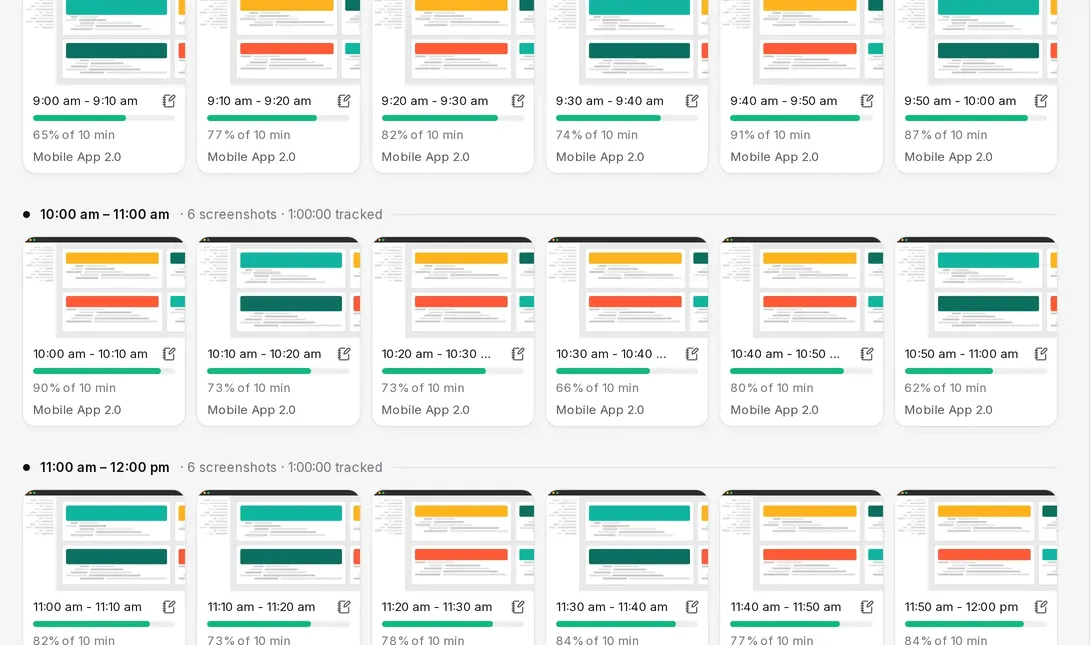
Tascimo screenshots page with ten-minute blocks and activity levels

Screenshots

The day in ten-minute blocks

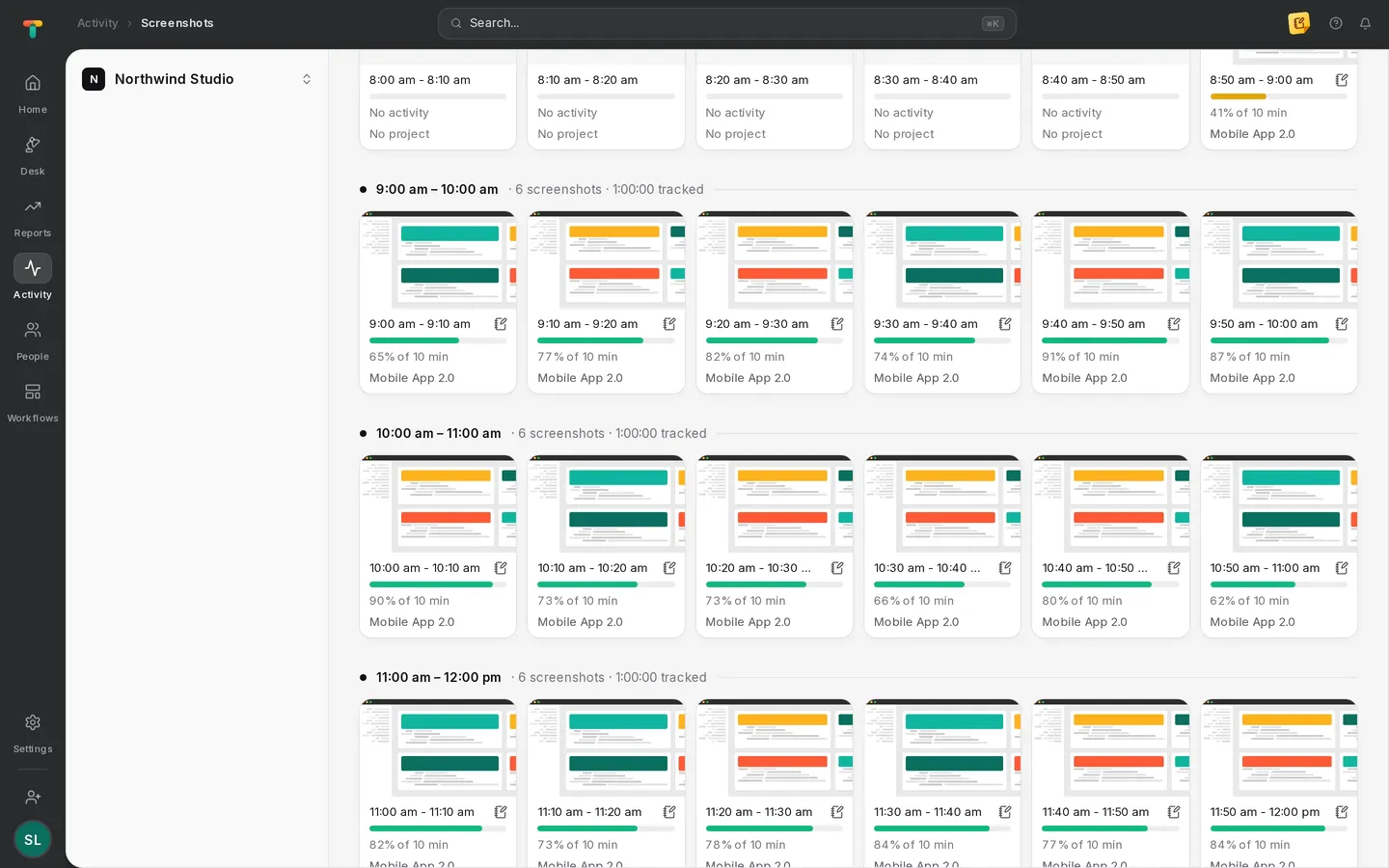
Each block shows the screenshot, the activity level and the project being tracked, so a manager can review a day in a few minutes.

  • Screenshot interval set by admins
  • Activity level for every ten minutes
  • Project and task for each block
Tascimo screenshots in ten-minute blocks with the activity level and project for each

Activity

Focus, not just hours

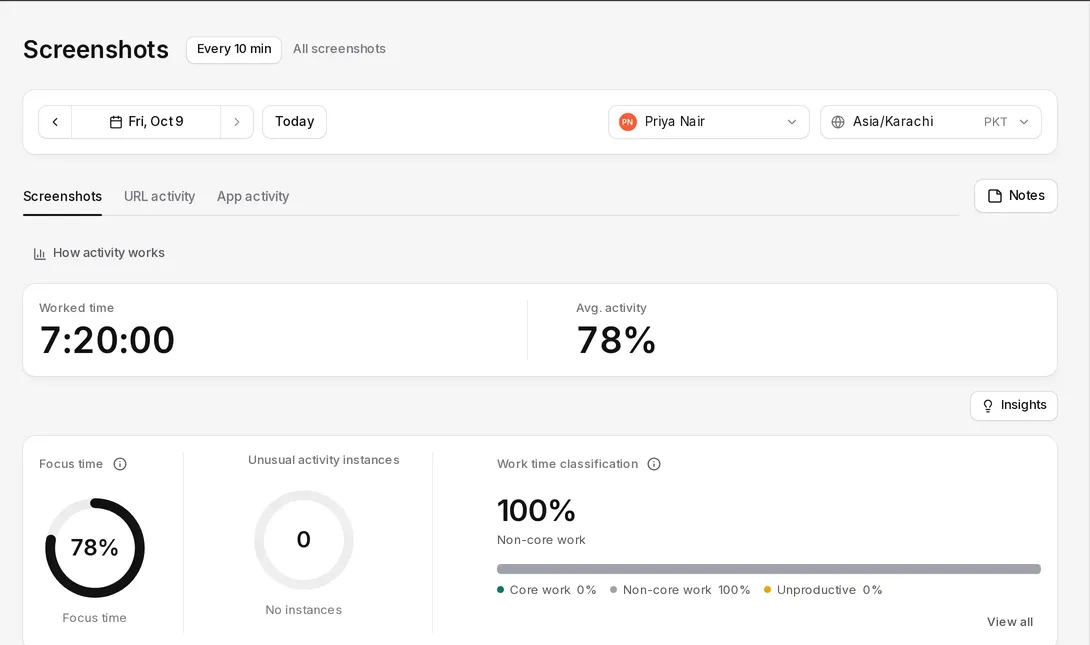
Worked time, average activity and focus time for the day, with app and URL activity alongside and work time classified as core, non-core or unproductive.

  • App and website domain activity
  • Focus time and average activity
  • Work-time classification you control
Tascimo activity summary with worked time, average activity, focus time and work-time classification

Alerts

Unusual activity, flagged for a person to review

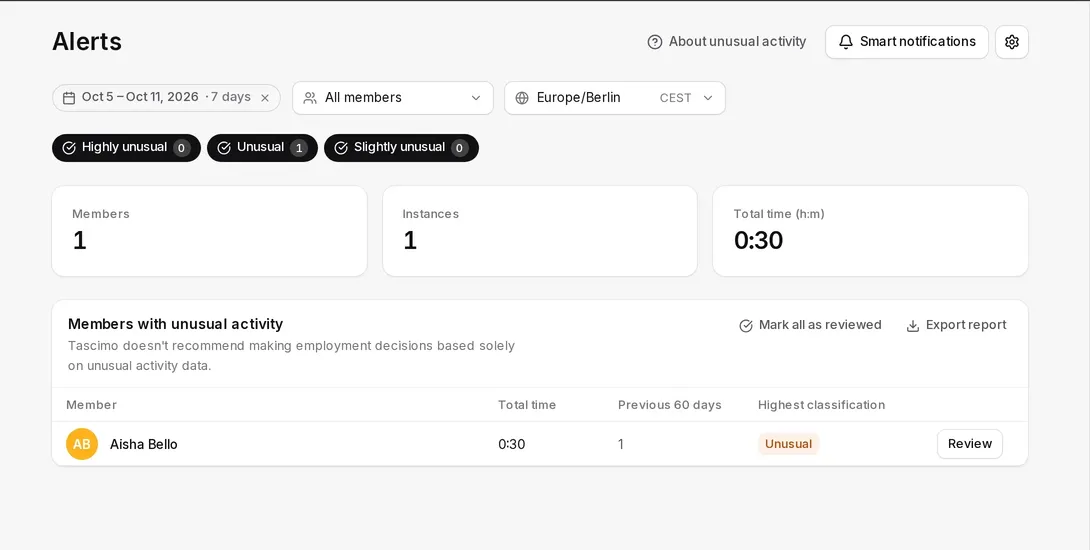
Tascimo compares activity with each person’s previous 60 days and flags what looks out of the ordinary. A manager reviews it; nothing is decided automatically.

  • Highly unusual, unusual and slightly unusual levels
  • Mark items as reviewed
  • Export the list
Tascimo alerts listing a team member with unusual activity and a Review button

Rules

Settings decided up front

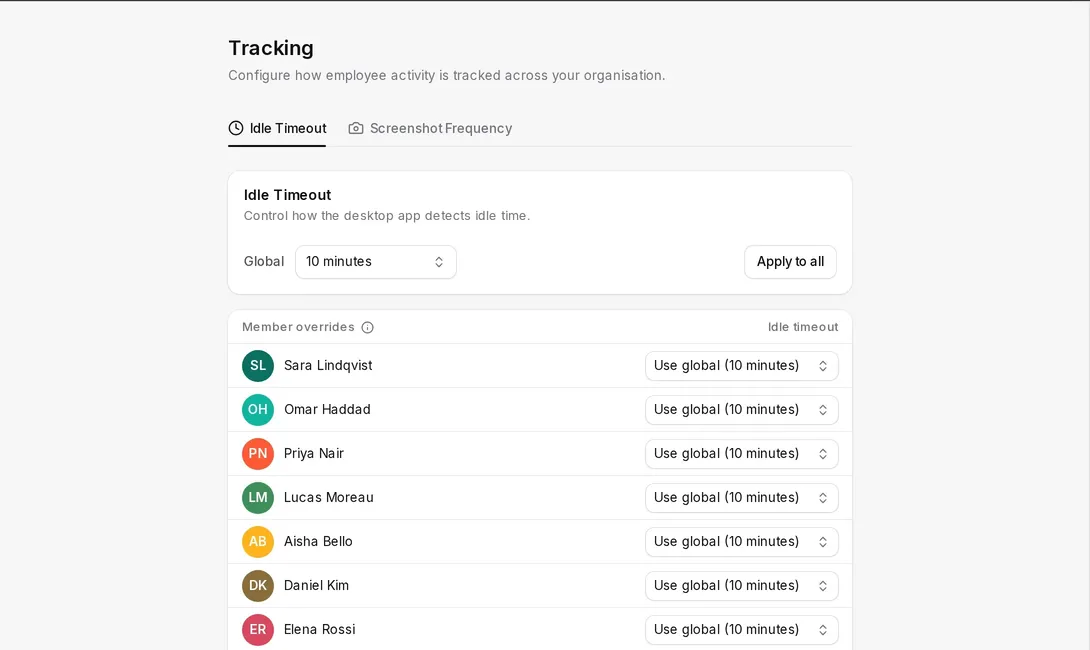
Admins set the idle timeout and screenshot interval for everyone or person by person, and every change is kept in the audit log.

Tascimo tracking settings with a global idle timeout and an override per team member

Never keystrokes

The app notes whether the keyboard or mouse was used, never what was typed.

Only while the timer runs

Activity is recorded during tracked time, not around the clock.

Every screen

Screenshots cover all connected screens, so tell your team first.

Stored in the EU

Screenshots are stored with AWS in Stockholm.

Straight answers

Does Tascimo record what people type?

No. The desktop app only notes whether the keyboard or mouse was used in each second, to tell active time from idle time. The keys pressed and the text typed are never recorded.

Which websites does Tascimo see?

For the active browser window the desktop app records the website address (domain) and the window title, alongside the apps in use. It does not record page contents or form entries.

Should we tell our team?

Yes. Let people know what is tracked and why before you roll Tascimo out. Screenshots cover every connected screen while the timer runs.

More in Tascimo

Give your team one place for work and time

Create a workspace in a couple of minutes, or book a demo and we will set Tascimo up with you.